Iris AI
Redis Iris is a context and memory platform that enables AI agents to access enterprise data reliably and in real time.
The project was initially developed by the engineering team with extensive use of AI tools. The design phase followed a tight timeline, with a key objective: bringing the user experience up to the standard of Redis Cloud.
As part of an effort to integrate AI throughout the project lifecycle, I used Claude Design, a newly introduced AI-powered design tool at the time, to support the design process.
The Challenges
Introducing Iris to Existing Redis Cloud UsersExplain what Iris is and how it benefits users, directly within the Redis Cloud experience.
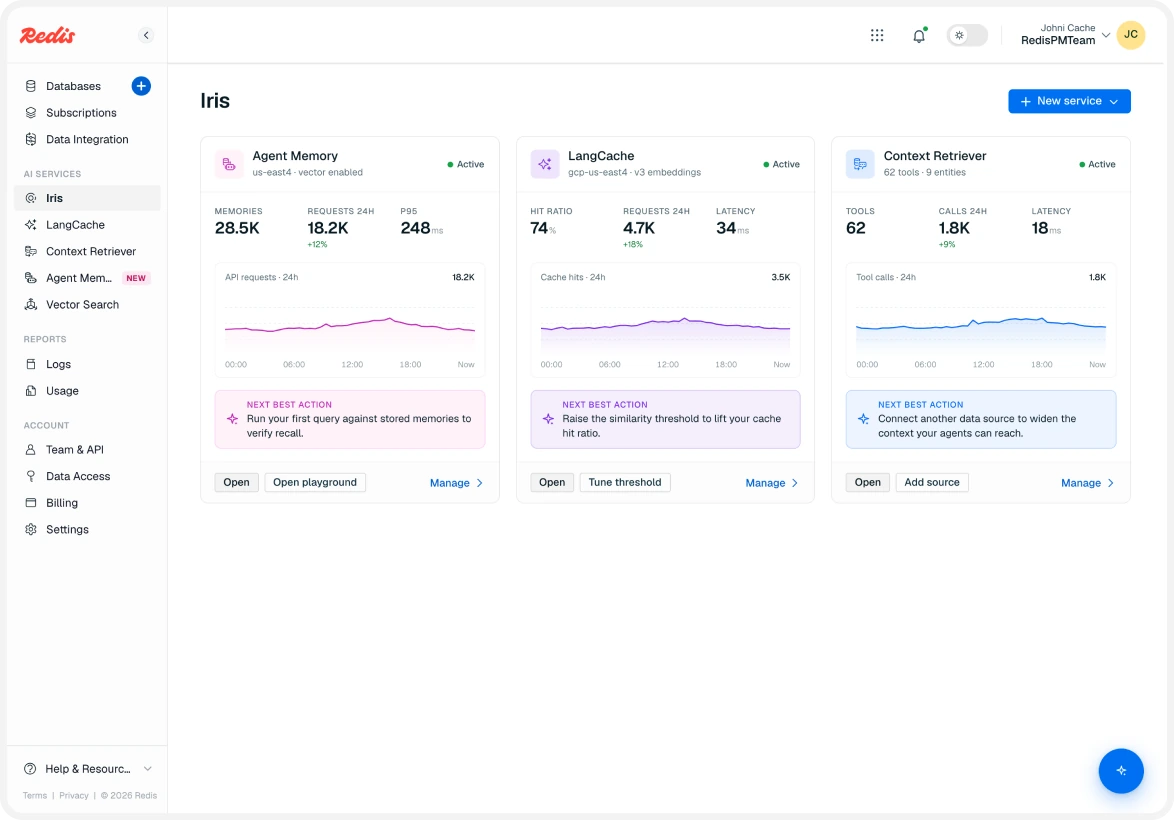
Evolving the Empty State into an OverviewTransform the initial empty state into a useful overview once one or more services are enabled, while preserving key capabilities from the original experience.
Driving Service AdoptionHelp users connect their newly created services and databases to their applications (clients), making it easier to get started with Iris.
Combining Product Introduction and AI Playground
I designed a unified empty state that combines a concise introduction to Iris with an interactive AI chat playground, allowing users to understand the platform and explore its capabilities in one place.
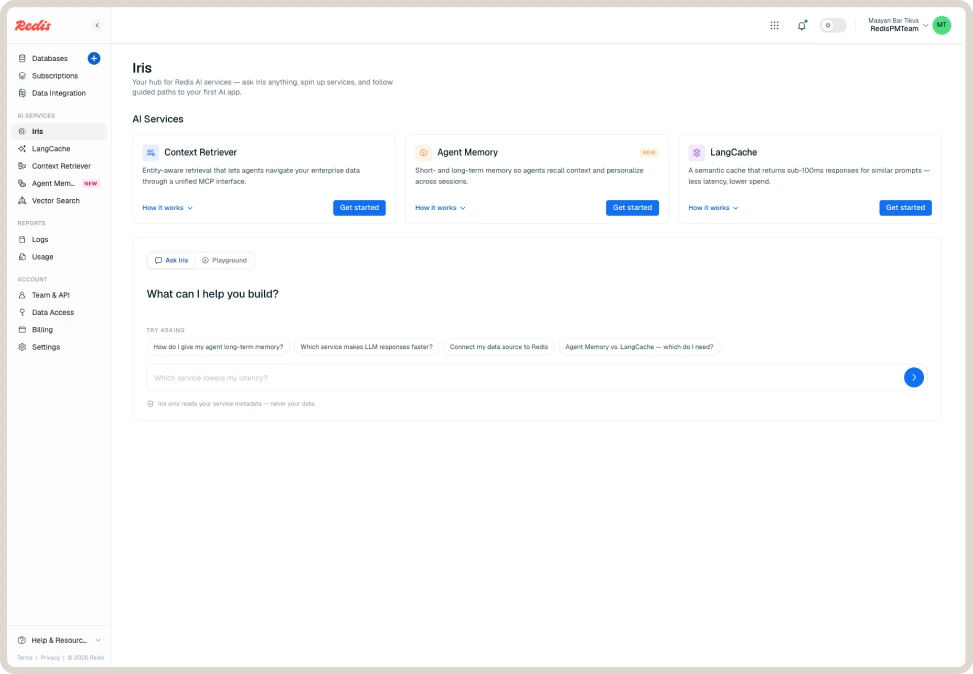
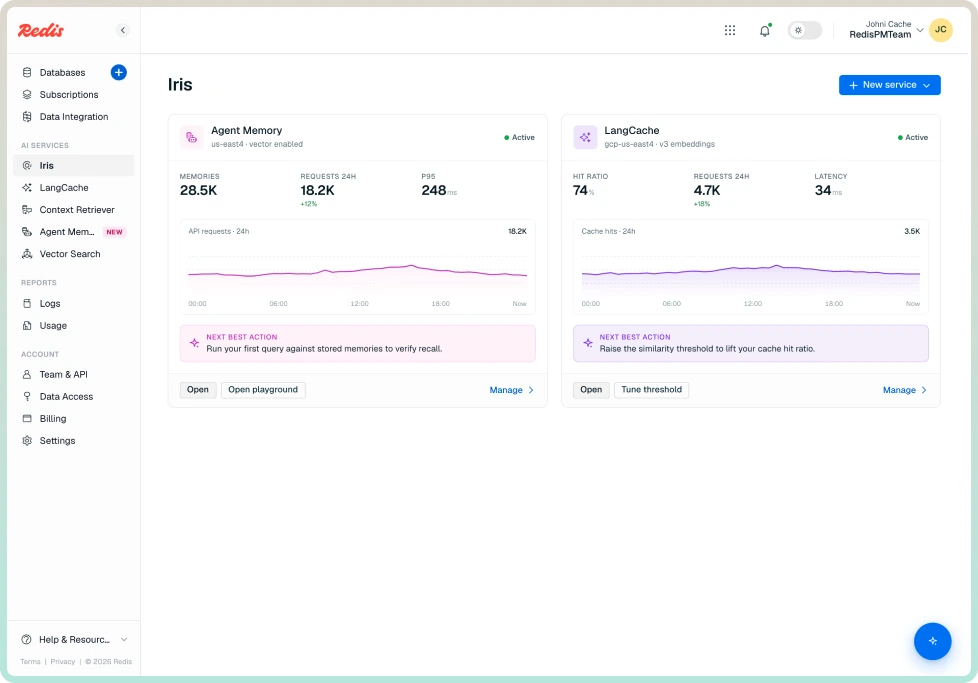
From Empty State to Overview
Once users enable one or more services, the page evolves into an overview that provides high-level information about their setup. To keep the interface focused, the AI chat moves into a floating action button (FAB), accessible on demand.
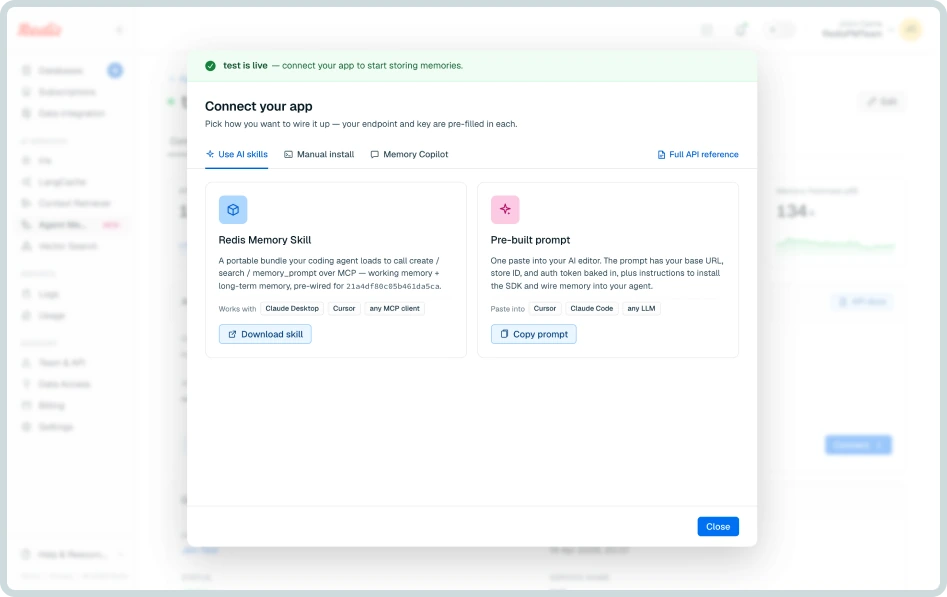
Improving Adoption Through Guided Connections
Immediately after service creation, users encounter a follow-up modal presenting multiple ways to connect their new service or database to their application (client), helping them take the next step toward adoption.
Ask Iris & Playground
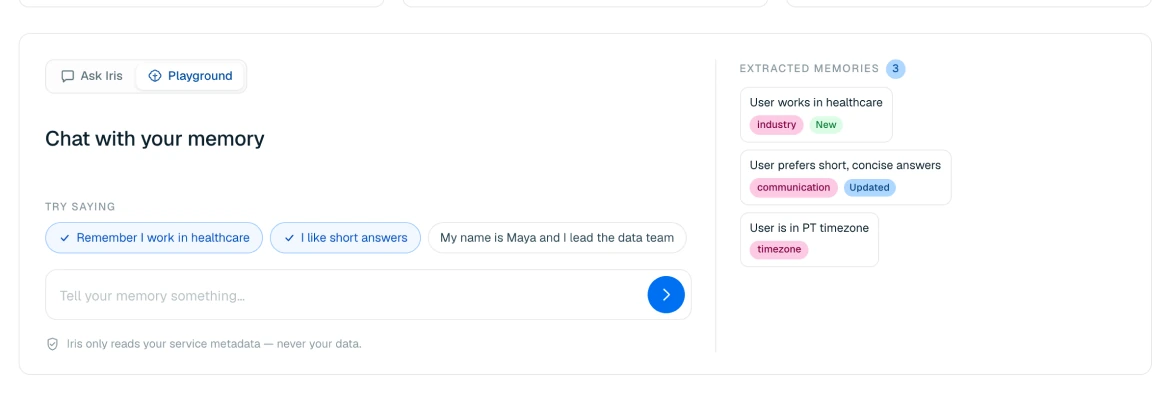
Two Chat Experiences for Different User NeedsWe divided the chat area into two distinct experiences to support different user scenarios:
Ask Iris - Exploring the Service: Users can ask open-ended questions to understand the available services and the value they provide.
Playground - Testing Configurations: Users can explore how their configuration choices affect memory behavior and database operations in practice.
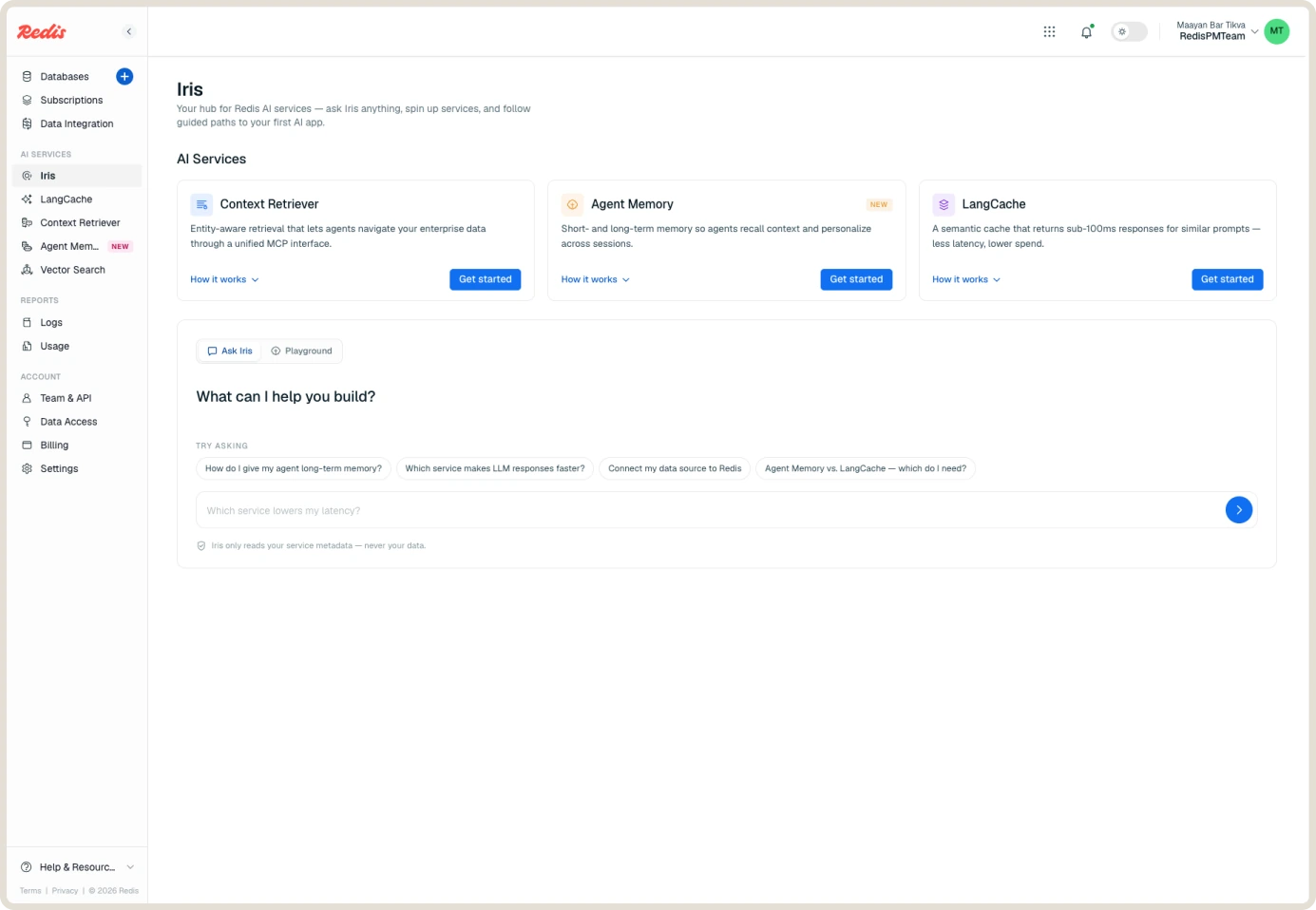
After consulting with the Product Manager, we decided to separate these experiences to help users understand the available services and realize their value more quickly.
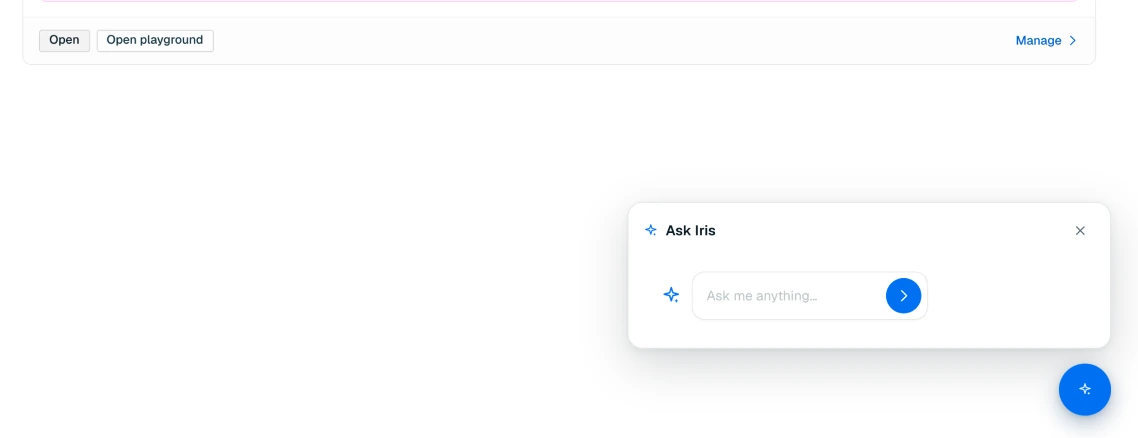
Also decided to prioritize the standard chat experience once one or more services were enabled, making it the primary interaction for users with an active setup.